
Online Smart ID cards only available to certain age group
Here are the steps you need to follow to apply online
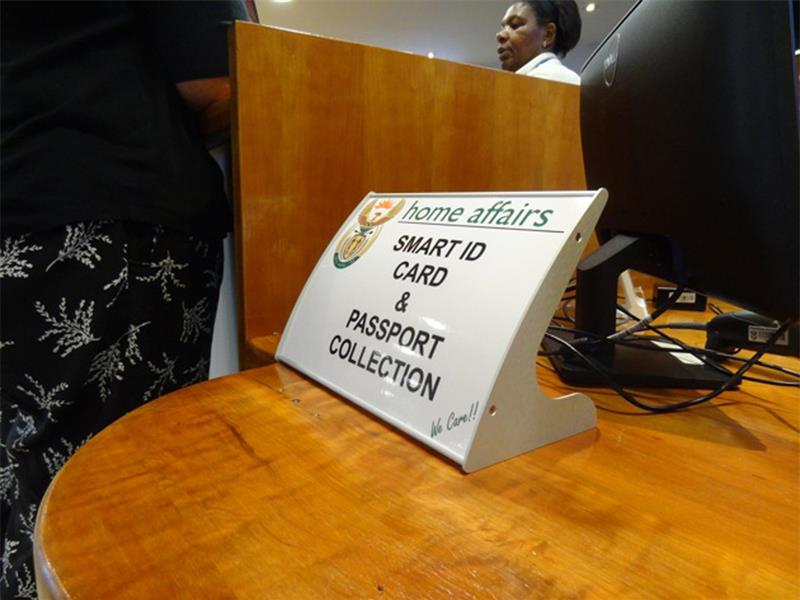
THE Department of Home Affairs officially launched its new online channel for smart ID cards in Midrand on Thursday.
The department has collaborated with four major banks to introduce an online application platform for smart ID cards and passports.
Absa, FNB, Nedbank and Standard Bank will provide space for the Department of Home Affairs kiosks inside banks where clients will walk in to submit their fingerprints and pictures, having made appointments and payments online.
For now only people between the ages of 30-35 can apply online. More age groups will be added later.
It is also possible to apply without using the e-Channel portal, and first-time applicants, such as citizens who are 16, pensioners, and South Africans in Gauteng, can get their smart IDs at Home Affairs offices.
Home Affairs has provided document guidelines for those applying for a smart ID on the new e-Channel.
Step 1: Create an account.
Step 2: Create a password and provide answers to security questions for account recovery.
Step 3: Verify cellphone number and email address.
You will be sent a one-time PIN (OTP) and a verification email. You will need to click a link in the email, while the OTP must be entered into the page.
Once you have done this, you need to apply for your smart ID card.

Application:
Step 1: Log in. You will be sent another OTP to sign into the e-Channel portal.
Step 2: Create a new application. You must have Adobe Flash Player installed to proceed.
Step 3: Configure the application. The Home Affairs application form looks similar to and works much like the SARS e-Filing form.
Step 4: Fill in the application form.
Step 5: Upload supporting documents as directed.
Step 6: Make payment. Payment options are available for Absa, FNB, Nedbank and Standard Bank. You can also skip the payment step and pay when you visit a branch.
Step 7: Book an appointment at a branch.
To complete your application, you must visit the branch where your fingerprints and photo will be taken.
You can either make an appointment at a branch that supports priority bookings, or visit your nearest branch within 60 days of submitting the online application.
Step 8: Branch selection. Home Affairs offices and some bank branches are listed.
Step 9: Choose a time slot.
Step 10: Confirm your booking.
After confirming your booking, you will be able to download the confirmation. Print it out and take it with you to your appointment.
Go to your appointment. Participating banks have marked Home Affairs offices inside the branch.
If you have skipped the payment step, you will have to pay at the branch, and get your fingerprints and photo taken. This all happens digitally. No ink, no photo printing costs.
Return in a week or two after receiving an SMS that your ID is ready.
The cost involved and the documents you need: