
You can now apply for your smart ID and passport online
Home Affairs makes it easier for South Africans to apply online, save time, and skip long queues using the eHomeAffairs system.
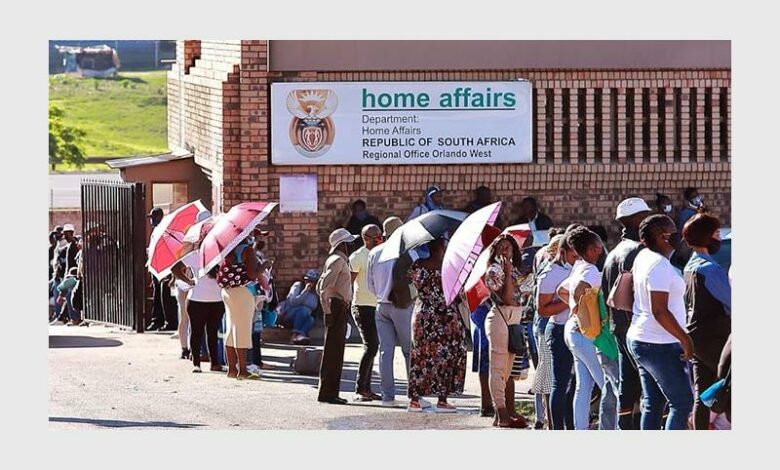
The South African Department of Home Affairs is making it easier for citizens to access its services with online applications.
You can now apply for Smart ID and passport applications from the comfort of your own home.
The department encourages applicants to use the online platform for various services, including IDs, passports, and visa applications.
To get started, simply visit the Home Affairs website and book an appointment or apply online.
This convenient option saves you time and effort, allowing you to skip the queues and make the most of your day.
Step-by-step application process:
Register on eHomeAffairs:
Go to the eHomeAffairs website: ehome.dha.gov.za
Create a profile with your personal details, email, and phone number for verification.
Complete application & upload:
Log in and select “Create new application”.
Fill in the application form, providing details from your current ID/birth certificate.
Upload required supporting documents.
Pay online:
Pay the application fee online through your linked bank account on the eHomeAffairs platform.
Book your biometric appointment
After payment, book a slot at a Home Affairs-enabled bank branch sch or a DHA office using the online system (BABS).
Visit the branch for biometrics:
• Attend your appointment with your ID.
• Have your photo taken, fingerprints scanned, and signature captured at the branch terminal.
• Collect Your ID/Passport: You’ll get an SMS when your Smart ID or passport is ready for collection at the same branch.
For more information, go to ehome.dha.gov.za