Local newsNewsUpdate
How to make a cup of tea through Google
From making a cup of tea with Google to Game of Thrones' one-word character, Hodor.
This week’s lineup of Easter eggs have more pop culture references and motion sensors than before.
First things first, Game of Thrones. We know you’re a fan.
I'm in a rush to finish the next book, so the entire second half will be written from Hodor's perspective. pic.twitter.com/6trvaOZHp0
— George RR Martin (@GRRM) April 17, 2014
Type “Hodor” into Google Chrome and experience the magic.

If you’re not familiar with HBO‘s hit show, Hodor is one of the good guys whose only speaking lines involve stating his name.
The Terminators are coming and you’re not Sarah Connor. How do you stop them?

Apparently Google does this with a simple .txt file. If you Google “www.google.com/killer-robots.txt” The above picture comes up.
Larry Page and Sergey Brin are the Google founders and the .txt file is telling the two ‘killer’ robots to not kill the Google founders.
Server and SEO geeks at www.google.com/teapot had a right laugh with this next Easter egg.

The page is a 418 response code which is a server status code named I am a teapot.
The code was an April Fools joke from 1998.
If you click on the teapot on your desktop browser the teapot pours a cup of tea for you but if you view the page on a mobile device like a tablet, when you tilt the device, the pot tilts, pouring tea into the teacup.
Super Mario Brothers, the legendary platformer turned 30 and scored an Easter egg on Google.

Search, “Super Mario Brothers” and the game’s iconic question mark will pop-up in the knowledge graph info on the right hand side of the page. If you click it, it makes the classic Super Mario ringing sound.
The last Easter egg cannot simply be explained, it needs to be seen.

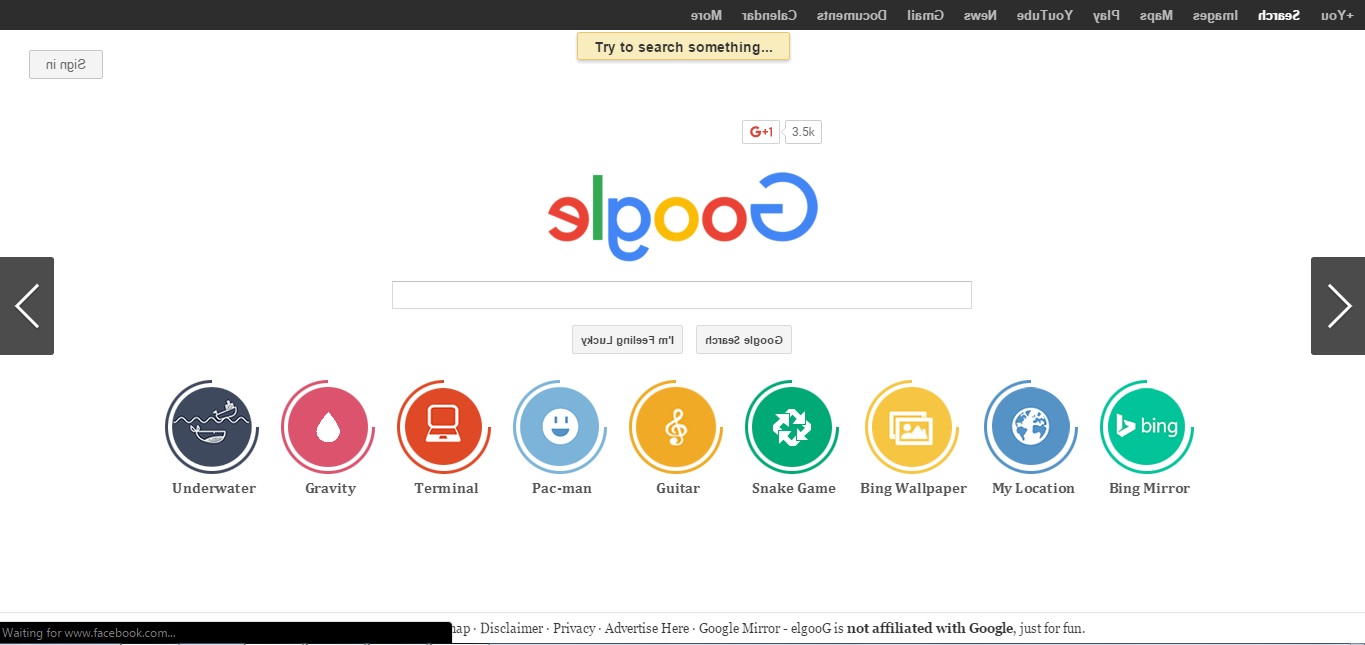
Google, “elgooG” and go to the first search result. You will notice that elgooG is Google spelled backwards.
ElgooG is a mirrored website of Google search which is packed full of Easter eggs including a guitar you can play online. It also gives you directions to play the theme song of Harry Potter.
Want to receive news alerts via WhatsApp? Send us an SMS/ WhatsApp message with your name and cellphone number to 079 413 8726.
Familiarise yourself with our WhatsApp service disclaimer.
Do you perhaps have more information pertaining to this story? Email us at randfonteinherald@caxton.co.za (remember to include your contact details) or phone us on 011 693 3671.
Also read:
Three of the best Google Maps Easter Eggs
Easter has come early this year
Five more Google Easter eggs you didn’t know existed
For free daily local news on the West Rand, also visit our sister newspaper websites Roodepoort Record, Krugersdorp News and Get It Joburg West Magazine
Remember to visit our Facebook, Twitter and Instagram pages to let your voice be heard!
At Caxton, every story is written by humans. We use AI only to perform quality checks - never to generate the news. Happy reading!