Beware of suspicious links
Numerous local Facebook users have fallen prey to posts of a pornographic nature being distributed from their profiles.
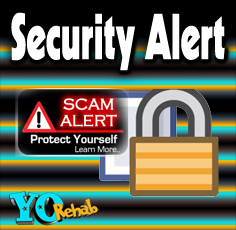
Re-posts warning your friends that if they see something strange on your profile they must not click on it, are doing the rounds. But experts say that they are of little help if you do not know what you are dealing with.
Although you might be under the impression that your account was hacked, experts say that is not completely correct, explaining why the posts will continue to appear even after you change your password.
Facebook Help Centre star contributor Terry Johnson replied to a complaint about porn being distributed via a user profile with the following advice:
Click on the V drop-down icon at the upper right-hand corner of the post and remove yourself if you have been tagged in the post.
Check your profile for strange apps and remove them. Also run a full malware scan on your computer to make sure that the problem is not from your desktop itself.
Rogue apps can be easily identified because they are usually designed to make you want to click on them.
You might download such an app, which will unknowingly download onto your profile and begin to send out posts when you click on a link similar to the one now being distributed from your profile.
The app will usually tag other friends on your friends list.
Be carefull of links that sound to good to be true, like someone giving away free Nike shoes or hundreds of iPads.
In February 2015 the website www.hackread.com reported that 110 000 Facebook user accounts have been infected with malware in just two days.
The website warns that the malware is often disguised as a link to a Flash update that pops up after you have been diverted to a site that looks a lot like YouTube.
Whilst you are busy watching the video, a pop-up will prompt you to update your Flash software. If you click on it, you are unknowingly downloading malware.