
Use your phone as a panic button with this nifty app
The Bull Horns Panic Button app is available everywhere in South Africa.

POLOKWANE – With crime rife in the country, every South African fears for their safety. Now, there is a free app that allows you to instantly, silently alert neighbours or loved ones if you’re in an emergency.
The app is called Bull Horns Panic Button app is available everywhere in South Africa.
Review spoke to Rob Maclean, managing director of Bull Horns Panic Button app, who explained that the app has been downloaded more than 50,000 times in South Africa.
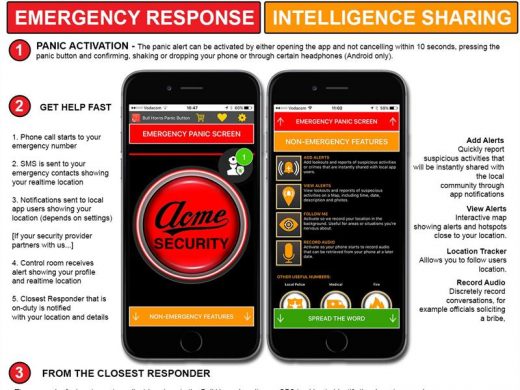
“It’s more than just a panic button app, it also helps to generate and share crime and suspicious activity reporting within communities. The most exciting and unique feature of the app that we’re currently testing in Gauteng, but will be rolling out to everyone shortly, is the “responder” feature. This is like an Uber for Security. When you press your panic button, the closest available and qualified emergency responder by GPS location will be notified immediately. This cuts life-saving minutes from the current process of getting through to a control room, explaining location, finding the closest vehicle, dispatching it to the right address.”
The Bull Horns Panic Button app turns your phone into a panic button that will instantly, silently call and SMS your emergency contacts. Now your security company (if they partner with the app) can see your exact location when you activate the free panic button so they can get help to you quickly, even if you can’t speak or are on the move. You can also add and receive alerts of local crimes and suspicious activities in your neighbourhood.
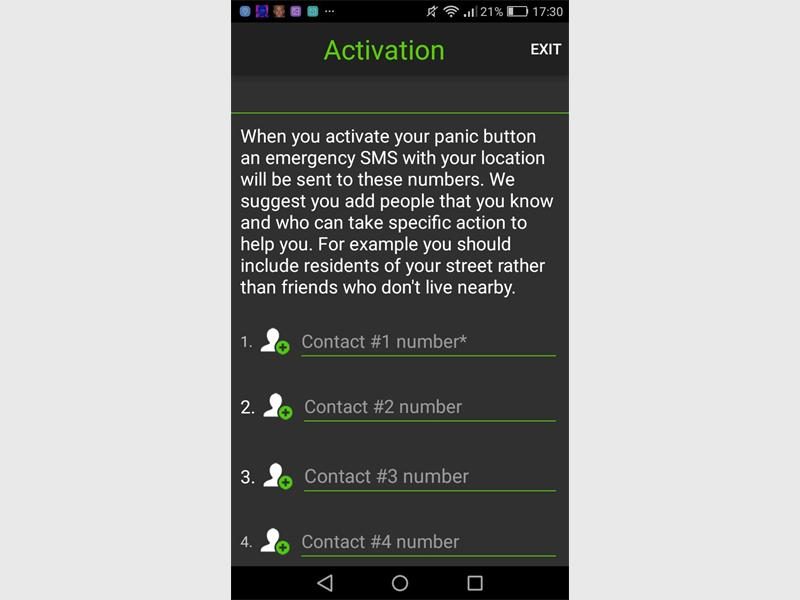
“Your main emergency contact, such as the police or your security company, will be phoned while the rest, like friends and family, will receive a SMS. The police will only be contacted if you add them as an emergency contact.
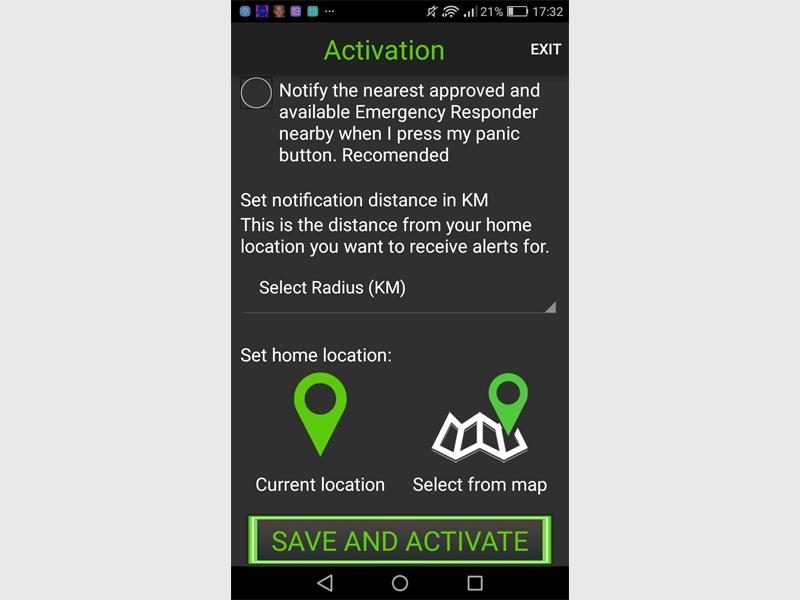
Once you have downloaded the free Bull Horns Panic Button app for Android or Apple, there are just a few steps to activate it and start deterring crime in your community.
“The app doesn’t use services, such as GPS or data, in the background. It only does so when the app is open and active. The app icon at the top of the screen on Android phones only indicates that the app can use the earphone jack. It has nothing to do with data or GPS. This is a new feature whereby you can activate the panic button by pressing the media button on your earphones.”