
Computer Vision Syndrome: 4 ways to protect your eyes
Computer Vision Syndrome and how to protect your eyes
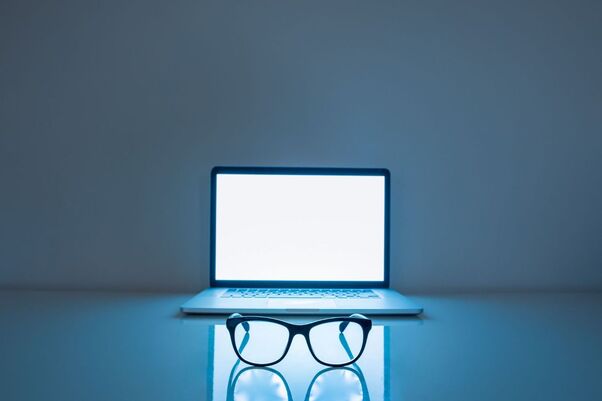
EVER spent too much time in front of the computer and walked away with sore, tired eyes?
Computer Vision Syndrome is a real thing, and Affinity Health looks at the effects of the syndrome and how to protect your eyes.
The old saying goes that watching too much TV will make your eyes go square, but what about staring at a computer screen all day?
If you work in an office, chances are your eyes look at a computer or laptop screen for most of the day.
Staring at a screen can put real strain on your eyes and result in a condition known as Computer Vision Syndrome (CVS).
According to studies, 50-90% of adults working behind an electronic screen experience at least one or more CVS symptoms, including distorted eyesight, changes in colour perception, double vision, dry eyes, itchy eyes, and pressure or painbehind the eyes.
What effects do computers have on vision?
CVS is similar to carpal tunnel syndrome and other work-related repetitive motion ailments. It occurs as a result of your eyes following the same path over and over again.
The longer your eyes continue to follow the path, the worse it becomes.
When working at a computer, your eyes are constantly focusing and refocusing.
Moving graphics cause your eyes to shift focus, sending fast fluctuating images to your brain.
All these tasks take a significant amount of work from your eye muscles.
To make matters worse, the screen, unlike a book or piece of paper, adds contrast, flicker, and glare.
What is the treatment for CVS?
A few easy modifications to your work environment can help you feel better and prevent future problems. Here are some tips.
1. Remove the glare
Reduce the impression on your computer screen by changing the lighting around you. If a nearby window’s light glares onto your computer, move it and close the blinds. If the overhead fixtures are excessively bright, ask your boss to install a dimmer switch or get a desk lamp with an adjustable shade that casts light evenly across your desk. You can also add a glare filter to your monitor.
2. Reorganise your workspace
The optimal position for your display is 20-28 inches away from your face, slightly below eye level. To view what’s on the screen, you shouldn’t have to stretch your neck or strain your eyes. Place any printed papers you’re working from on a stand near your monitor. You won’t have to look up at the screen and back down at the desk as much while typing this way.
3. Allow your eyes to rest
Every 20 minutes or so, glance away from the screen for about 20 seconds. Keep your eyes moist by blinking frequently. Try some eye drops if they’re feeling dry.
4. Make adjustments to your monitor settings
If you don’t like the factory presets on your monitor, you don’t have to live with them. Make adjustments to the brightness, contrast, and font size until you reach your desired result.
HAVE YOUR SAY
Like our Facebook page and follow us on Twitter.
For news straight to your phone invite us:
WhatsApp – 060 784 2695
Instagram – zululand_observer