Police warn residents against scam artists
A Gordon's Bay resident, Gert Jansen van Vuuren, recently advertised on social media that he was looking for certain spare parts for his bakkie, which he could not find in his home town. After a few hours, a man claiming to be the owner of a spares shop in Newcastle, contacted him.
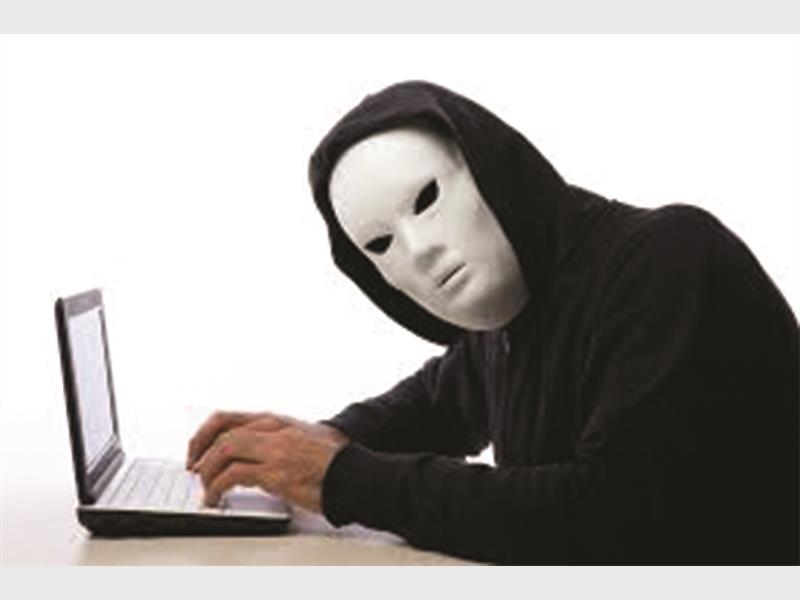
NEWCASTLE – Scam artists are everywhere, looking for an opportunity to make a quick buck. They prey on the weak and vulnerable, and wreak havoc wherever they go.
Read: [MUST READ] Newcastillian blackmailed over nude selfie
An online scam proved to be one man’s reality when he was allegedly conned out of R30 000.
A Gordon’s Bay resident, Gert Jansen van Vuuren, recently advertised on social media that he was looking for certain spare parts for his bakkie, which he could not find in his home town.
After a few hours, a man claiming to be the owner of a spares shop in Newcastle, contacted him.
Mr van Jansen van Vuuren said the man known as Paul Rayson, sent him quotations for the parts via email, and everything seemed legitimate.
“He was so organised and well-spoken that I had no reason to think he was a conman,” said Mr Jansen van Vuuren.
Also read: Walking the extra mile for CANSA
After he received the quotation from ‘Mr Rayson’, he transferred money via EFT for the parts, and was advised it would be delivered to him within seven working days. Mr Jansen van Vuuren became worried after two weeks when the parcel had not arrived.
“I attempted to contact Mr Rayson, but I only got through to his voicemail. I really did not expect this as this guy seemed to be the real deal. He had documents and company logos to support his alleged business.”
Mr Jansen van Vuuren hopes by sharing his story, he could help others not become victims of Internet fraud.
Mr Jansen van Vuuren has not been the only victim of online crime.
How well do you know your friends on social media?
Are you really talking to a teacher, waitress or book enthusiast?
A 22-year-old man recently met someone online and within days, the two shared naked photos with each other.
However, the man quickly found out he had been talking to a man.
“He pretended to be a woman and said if I did not send him money, he would put the photo everywhere and send it to my mother and sister.”
Now with the looming threat, the young man fears for his dignity.
When it comes to social media, there are dos and don’ts that one should abide by.
1. Privacy
Be careful not to share private information, which includes where you live, work, and any details of your family.
2. Photographs
If you intend to exchange photographs, ensure no one will be able to identify your suburb or home. Also avoid sending naked photographs of yourself. The image could be posted on social media with devastating effects.
As scams are reported daily, Newcastle police warn the public not to be gullible.
Below is a list of scams, and ways to avoid them:
Phishing:
– Fraudsters send unsolicited emails to email users
– Emails are purportedly from the a bank
– Emails request a user to click onto a link in the email to update personal details
– Once clicked, the link will divert the user to a fraudulent or spoof website
– The information is sent to the fraudsters by email, who defraud the user by using this personal details.
Dos
– Instead of clicking on the hyper link, type the website address into your Internet browser
– Only use secure Internet banking sites
– Beware of unusually long website addresses
– If you have compromised confidential information, contact your bank immediately.
Dont’s:
– Do not use the URL contained in the body of the email
– Do not reply to any of the emails
– A bank will never request confirmation of confidential information via email or the Internet.
Pharming:
– Pharming occurs when your computer is infected with a virus that attacks the Domain Name Server (DNS) system
– Viruses are usually transmitted via email or downloads.
– When you enter your bank’s website address, the virus re-directs the user to a fraudulent website, purporting to be that of the bank
– Confidential user information is compromised and the fraudsters use this to defraud the user.
Dos
– Ensure that antivirus software is always up to date
– Access Internet banking via the route usually used
– Only use secure Internet sites
– Beware of unusually log website addresses
– If you have compromised confidential information, contact your bank immediately
Dont’s
– Do not access unfamiliar websites
– Do not access unusual website addresses
Identity theft:
– Identity theft is when someone steals your personal information to use for illegal purposes.
How they operate:
There are many ways, such as:
Scenario A: Theft
Stealing wallets and purses containing ID documents, credit and bank cards; stealing mail, including bank and credit card statements.
Scenario B: Rummaging through dustbins (dumpster diving)
Finding information in homes or offices.
Scenario C: Intercepting personal information
Intercepting personal information shared on the Internet.
Scenario D: Shoulder surfing
The identity thief simply stands next to someone and watches them complete personal information.
How do they use your information?
Huge debts are run up and left unpaid. The innocent victim receives a bad credit listing with credit bureaus. Usually, you only find your identity has been stolen when you legitimately apply for credit and get turned down. Bank accounts, retail accounts, loans and vehicle finance are obtained with your details with different mailing addresses. They can also take over your current accounts by obtaining new cards and pin numbers.
Do
– Manage your personal information wisely
– Destroy personal financial information by tearing, shredding or burning personal and financial information before throwing it away
– Store personal and financial documentation safely
– Make it difficult for strangers to access your personal or financial information
– Keep PIN numbers safe
– Pay attention to account cycles.
Dont’s
– Don’t carry unnecessary information in your wallet or purse
– Don’t disclose personal information when asked to do so by email
– Don’t write down PIN and passwords, and avoid obvious choices like birth dates and first names.
What if you have been a victim? Report the matter to the South African Police Service
– Remember to report a stolen ID book immediately, as this often paves the way for fraud.
Alert the South African Fraud Prevention Services (SAFPS) immediately on 0860 101 248. It is a unique service committed to combating fraud that offers you a way to protect yourself against impersonation and identity theft.