
Last chance to upgrade/reset your prepaid meters – Here’s how
If you have not had the chance to upgrade or reset your prepaid electricity meter, you should hurry up and do so, as the final deadline is this Sunday, November 24.
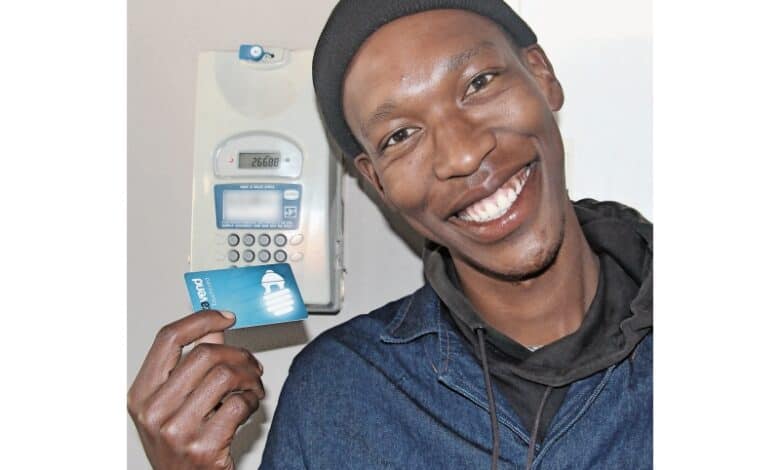
As posted on the Steve Tshwete Local Municipality Facebook page, residents are strongly urged to check whether they are in the clear regarding their meters, because if they have not updated by the deadline, they will be stuck without power.
How to see if your meter is updated
To check whether your meter is up-to-date, you need to type a code that is dependent on your prepaid meter’s manufacturer.
These codes are as follows:
- ACTOM – 005
- ITROM – 04
- TAURUS – 04
- LANDIS & GYR – 57
- CONLOG – #005#
- HEXING – 873
- TALEXUS – 04
The screen will then display either a number 1 or a number 2, sometimes also showing additional letters.
- If your screen shows a number 1, then your meter has not been updated.
- If your screen shows a number 2, then your meter has been updated.
How to upgrade
- Visit your usual prepaid vendor where you purchase electricity and ask to receive the update. Buy any amount of electricity, receive your slip and you will see there are two additional codes above the code for your power.
- Enter the 20-digit top code first, then wait for a few seconds.
- Enter the 20-digit middle code second, and then wait for a few seconds again.
- Then, finally, enter the credit token code to activate your purchased electricity, that’s it!
Once you have entered your two additional codes, you will receive the update, and you can then continue to purchase electricity in the same manner as you have always done.
Reasoning behind the update
- The reason for the update is that the software used for the prepaid system is set to expire later this month. The software was originally programmed to last for a total of 34 years, meaning that once you receive the update, you will be set for the next 34 years.
- Anyone who buys a prepaid meter now will automatically be updated, but anyone that does not update before November 24, will have their account and meter rendered unusable and without power.
Still having trouble?
If you are experiencing any issues with the upgrade/reset process, you can do one of the following:
- Visit the electrical offices at the Civic Centre First Floor Helpdesk
- Call 013 249 7223
- Email dmahoney@stlm.gov.za or catherinem@stlm.gov.za
Do you have information on a news story you think we should cover?
Please send an email to our News Editor at daleen@mobserver.co.za or phone us on 072 248 3855.
To keep updated and informed on all the latest Middelburg news, visit our official social media pages:
Facebook, Instagram, TikTok, X (Formerly Twitter), and YouTube