
How to keep your private information from falling into the wrong hands
With this growth, a counter culture emerged and soon consumers were introduced to new terms such as social engineering, phishing, vishing, shoulder surfing and hacking.
MBOMBELA – The advent of the technological era has brought with it newer, more portable devices which hold the users’ personal information.
Over the years, mobile phone technology has brown in leaps and bounds beyond receiving and making calls on a portable hand-held device to include photo and video albums, messaging facilities and personal banking information.
With this growth, a counter culture emerged and soon consumers were introduced to new terms such as social engineering, phishing, vhishing, shoulder surfing and hacking.
In cyberspace, where almost all financial transactions are conducted, hackers have been inventing novel ways to gain access to personal information. This has necessitated the introduction of safe guards to thwart their attempts at stealing consumers’ information.
ALSO READ: WATCH: Tune In Tuesday – Khomindlela Primary School welcomes Rally to Read 2020
The South African Banking Risk Information Centre (SABRIC), on behalf of the banking industry, issued warnings to bank clients to protect their mobile devices. Mobile phone thefts means that criminals are able to gain access to their victims’ confidential information to commit crimes.
With banking applications stored on phones, these devices are the modern-day equivalent of bank cards and the gateway to a consumer’s bank account.
ALSO READ: KLCBT confirms Panorama Route is open and safe for motorists and tourists
“Personal information is a valuable commodity for criminals and because so much of it is on our phones, we need to take mobile security very seriously.”
“When a bank client’s mobile phone is stolen, they tend to focus on protecting their photos and social media profiles, however, their highest priority should be protecting their money,” said Susan Potgieter, acting CEO of SABRIC.
ALSO READ: Uplands College grade nines hike through mountains outside Barberton
Below are ways to safeguard your information in cyberspace:
PINS & Passwords
- Reset/change your passwords and PIN’s often.
- Set different and complex passwords for each app or service. Ensure that these are not stored on a password manager app or on the phone itself.
- Never save your banking app username and password on your device in the contacts or notes.
- Never autosave your banking app username and password on your device.
- Disable the autosave function on your smart phone.
- Ensure that you have set additional security controls on your device for adding biometrics such as fingerprint or facial recognition, for instance you can enable your device to ask for the device password to add another person’s biometric on your device.

ALSO READ: WATCH: Trail hiker makes it to the summit of the highest mountain in southern Africa
Social Engineering
- Do not click links in SMS’s or emails stating that your lost or stolen device has been located as criminals use this as a way to get your banking app credentials.
- Always be vigilant by being aware of who is around you when using your phone in public.
ALSO READ: Mandla Mamba and Njabulo Mkhonto’s bail application postponed to Wednesday
Device
- Treat your mobile device the same way you would treat your bank card.
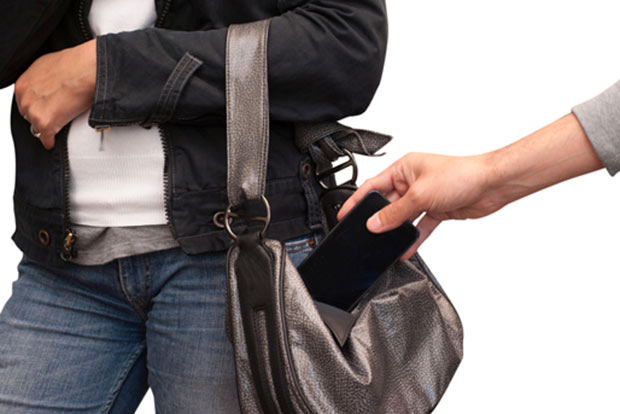
- Pick-pocketing is prevalent so ensure that your handbag or and backpacks are properly closed or zipped.
- If your mobile device is lost or stolen notify your Bank immediately to freeze your banking profile and prevent the perpetrators from using your banking app.
- In addition, contact your mobile service provider to block/stop your SIM card and handset to prevent criminals from getting any One Time PINs for fraudulent transactions.
- If your Apple device is stolen, log onto to your iCloud account to restore all factory settings so that all your personal data is wiped from the device.
- Avoid using Public WiFi “hotspots”. It is risky to connect your smartphone to just any available WiFi hotspot. Savvy hackers can spoof a WiFi connection and gain access to usernames and passwords stored on your smartphone.
- Consider keeping your banking app on two devices – this will enable you to block the stolen mobile from the other device and also change the log in credentials at a moment’s notice. Most banks will still ask you to call them to report the theft to ensure that all access is blocked for the stolen phone. Your bank can also advise how to get passwords changed.
- When calling the bank to report the phone as stolen, request that they place a temporary hold on your entire account to allow you the time to change, replace and update all of your info.
ALSO READ: Tips to survive the Mbombela CANSA Relay For Life
Banking App
- Always log out of your banking app manually once you have finished transacting.
- Keep your daily EFT and ATM limits low as some banking apps and internet banking profiles will require that contact be made with the bank before the limit can be increased on your profile.