
South Africa’s Information Regulator (IR) has requested a meeting with Facebook SA regarding WhatsApp’s new privacy policies that were announced in January.
This follows after Facebook (WhatsApp’s holding company) gave users the deadline of 15 May to accept the new terms discussed below. “If users will not accept the terms, for a short time these users will be able to receive calls and notifications, but will not be able to read or send messages from the app,” said spokesperson Nomzamo Zondi.
The IR is of the view that any WhatsApp user who wants to process another contact’s contact details in order to, for example, link it onto a WhatsApp or Facebook group or platform, may only do so once he or she has obtained the IR’s permission. This is in terms of section 57 of the Protection of Personal Information Act (POPIA).
The IR indicated that it wants to meet with Facebook to ensure that WhatsApp’s Privacy Policy is POPIA compliant.
On January 25, 2021, Lowvelder’s editorial team reported:
WhatsApp’s new Privacy Policy and what you must know
Users have one of two choices: they can either agree to the new policy or cease using the convenient and popular communication platform.
A host of interpretations have been flooding social media. Some have blurred the real meaning of these new terms and conditions. Caxton Local Media’s legal adviser, Helene Eloff, sets out what users should know.
WhatsApp belongs to Facebook
Facebook (the company) owns and operates WhatsApp. The platforms share your account registration information (such as your phone number), transaction data (if applicable) and information on how you interact with other private and business users, with other Facebook companies. It also shares your device information and your IP address.
You have control over your contact list
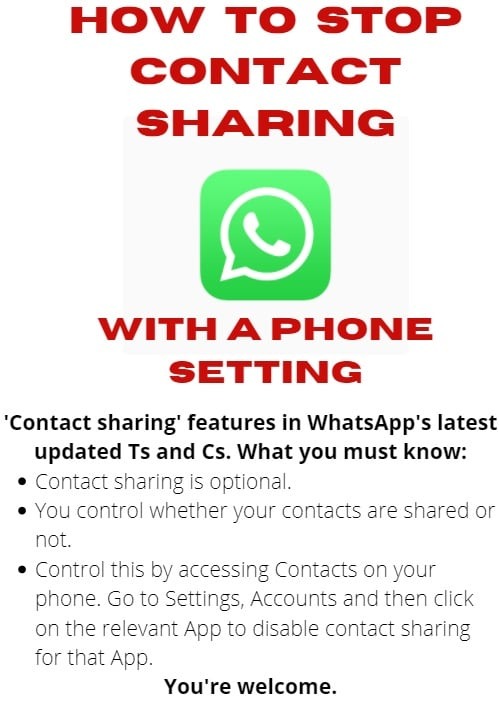
It is a myth that WhatsApp has uncontrolled access to user contact lists. WhatsApp may access a user’s cellphone contacts if the user allows it.
Information that WhatsApp automatically takes from all users
If you want to use WhatsApp, you need to provide the platform with your mobile phone number.
Therefore, WhatsApp will have the contact numbers of all its users. Users may also choose usernames that it will have
access to.
Your profile picture and status
Users may choose whether or not to add profile pictures, statuses or “about” information. Those who choose to do so, may select which audiences are allowed to view them.
To limit this audience
Open WhatsApp
Click on the three vertically aligned dots that are the menu button in your phone’s top right corner.
• Click on Settings
• Click on Account
• Click on Privacy
Here you can regulate who sees your profile photo, when you were online most recently, your status, your “about” section as well as whether contacts should receive read receipts (blue ticks) when messaging you or not.
Some other information WhatsApp collects
WhatsApp collects information such as when you registered as a user, and which device you use. It also notes details about your device such as its make and model, the battery level, signal strength, your browser information, and connection information (including your mobile operator or Internet service provider).
The application records your patterns or habits of interaction. This includes monitoring the time, frequency and duration of your activities and interactions. Furthermore, the platform takes note of the different features you use such as messaging, calling, video calling, whether you correspond with business accounts, and whether you make use of groups or not. However, it does not track the contents exchanged during such interactions.
Location
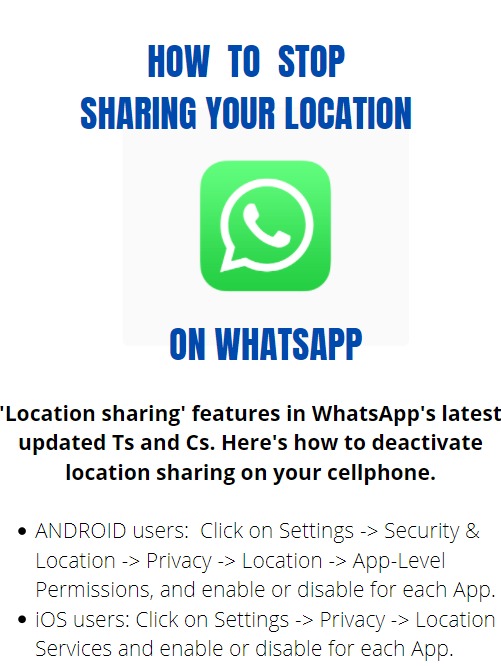
WhatsApp can only access your exact location if you have given consent, but the application may still use your IP address and telephone number area code to estimate your general location (for example the city or country you are in).
Cookies
WhatsApp uses cookies. A cookie is a file sent to your browser whenever you visit a website. It is stored on your device and collects data that is provided to the website or platform. This allows WhatsApp to understand how you use its services and to customise it accordingly. Users have control over their device cookie settings.
ALSO READ: How not to fall prey to cyber scams
Messages
WhatsApp uses end-to-end encryption. This means that user messages are encrypted to prevent WhatsApp and third parties from reading them.
According to WhatsApp’s terms, conditions and privacy policy, the platform does not usually retain user messages. Instead, messages are stored on your device. However, the platform adds that undelivered messages may end up on its server in encrypted form for up to 30 days before it is deleted. Any media (such as photos, videos and voice notes) are temporarily stored, once again in encrypted form, meaning that nobody but the sender and receiver should be able to read the contents.
Data on transactions and payments
Some South Africans use WhatsApp’s payment services to conduct financial transactions.
If you choose to use WhatsApp for this purpose, the application will process your payment account information and transaction information.
Third-party information
When a user shares another person’s information with WhatsApp, the platform assumes that the user imparting the information has the subject’s permission.
This applies to personal and business accounts.
In its terms and conditions, the platform reminds users that business accounts are often accessed by numerous persons and that confidential information should, therefore, be shared with the intended individual instead.
WhatsApp’s policy specifically points out that, although the platform encrypts messages, users may still take screenshots of it.
Users should remain aware of these facts and behave legally and ethically at all times.
How do I report contraventions of WhatsApp policies?
Whatsapp’s terms state that:
“When you receive a message from an unknown number for the first time, you’ll have the option to report the number directly inside the chat.
You can also report a contact or a group from their profile information using the following steps:
- Open the chat.
- Tap on the contact or group name to open their profile information.
- Scroll to the bottom and tap Report contact or Report group.
Once reported, WhatsApp receives the most recent messages sent to you by a reported user or group, as well as information on your recent interactions with the reported user.”
- WhatApp shares your information if it has a good-faith belief that is doing so is necessary to, for example:
(A) Respond pursuant to applicable law or regulations, legal process or government requests.
(B) Enforce its terms and any other applicable terms and policies, including for investigations of potential violations.
C) Detect, investigate, prevent, or address fraud and other illegal activity or security and technical issues.
D) Protect the rights, property, and safety of its users WhatsApp, the Facebook Companies or others.